
How to Search YouTube by Upload Date in 2026
 By Felix Melchner
 How to Search YouTube by Upload Date in 2026
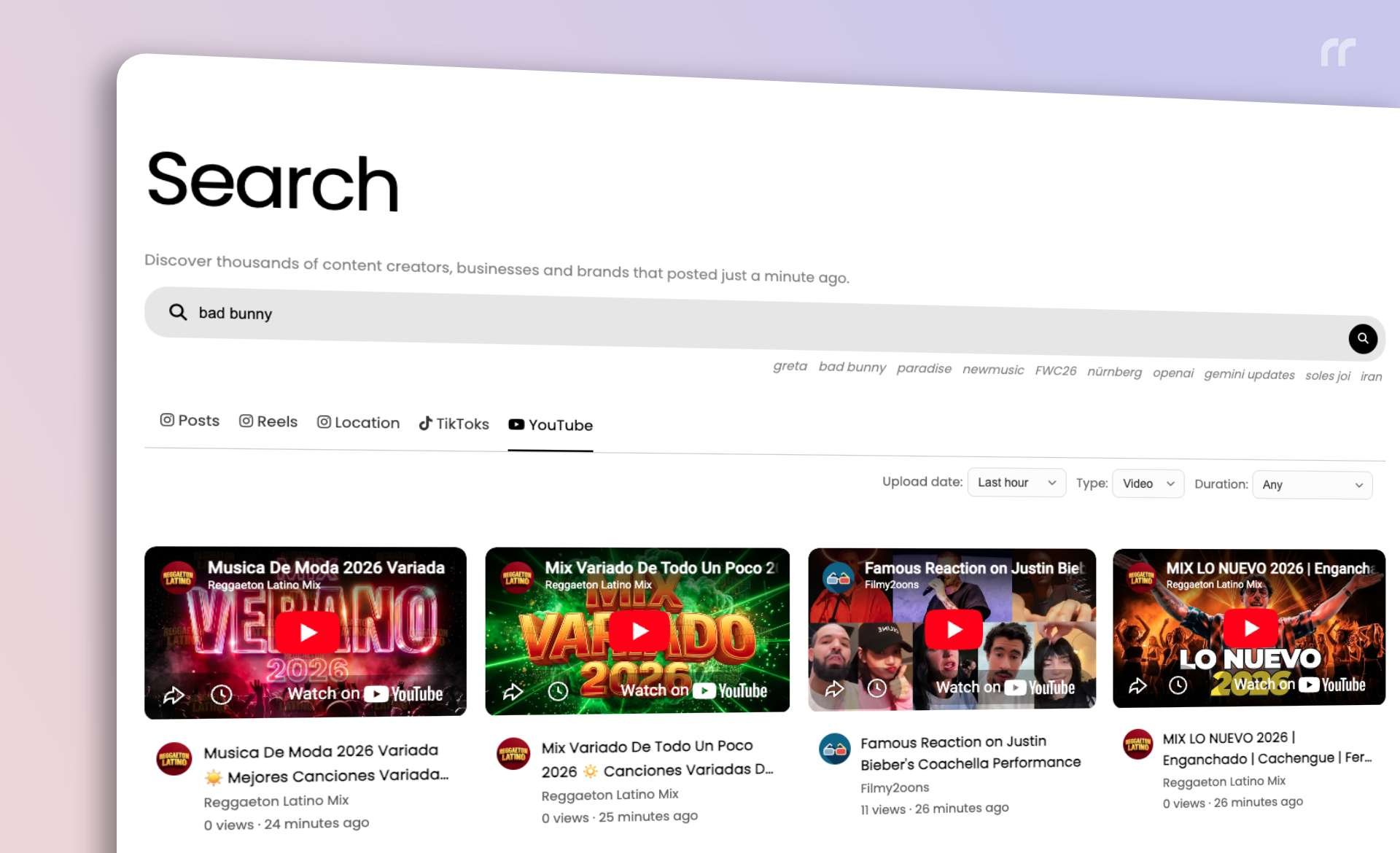
Searching Youtube by upload date in 2026 is the most direct way to surface fresh videos without sorting through older content. Our Youtube search experience includes a dedicated upload date filter so you can limit results to the last hour, today, this week, this month, or this year, depending on how recent you need the content to be.
Why Upload Date Matters for Youtube Search in 2026
With the volume of new uploads increasing every day, a standard search can feel noisy. Upload date filtering (by “last hour” in particular) keeps your 2026 research focused on what is new and relevant, whether you are tracking trends, monitoring competitors, or gathering references for a project. It is an objective way to ensure you are looking at recent content and not outdated results.
How the Upload Date Filter Works
When you select an upload date option, the Youtube search request is made with that time window applied. The filter defaults to the most recent option, which keeps your first search aligned with the newest uploads. If you switch to a broader range, the results update immediately to match that new timeframe.
Step‑By‑Step: Search Youtube by Upload Date
-
Open RecentReborn on your phone or computer. Sign up with your Google or Facebook login if you don’t have an account yet.
-
Open the Youtube Search tab and enter your query.
-
Choose an Upload Date range such as last hour, today, week, month, or year.
-
Review the refreshed results that match your selected upload date window.
Chrome Extension: Restore the “Last Hour” Filter
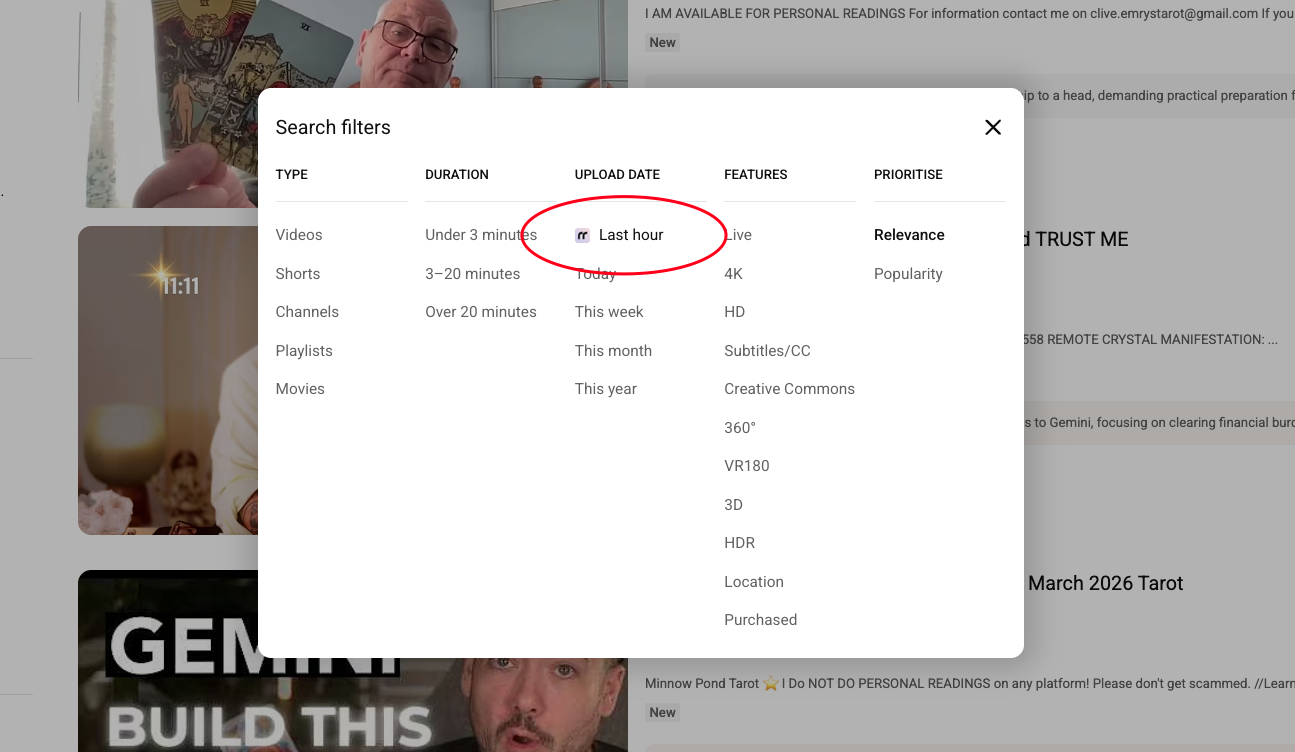
If you prefer searching directly on Youtube, our Chrome extension adds back the “last hour” filter in the Youtube filter modal at the spot where it used to be before Youtube removed it. Click that option, and you are sent straight to RecentReborn with your previously entered Youtube search term already applied and filtered by last hour. It is a fast, one‑click bridge from Youtube’s interface to a precise, time‑filtered Search.
Tips to Improve Search Results in 2026
-
Start with a narrow Upload Date (like last hour or today) to isolate the newest videos.
-
If results are too limited, expand to week or month to capture more recent content without losing relevance.
-
Use clear, descriptive Search terms so the Youtube results stay on topic even when you widen the Upload Date range.
Summary
To Search Youtube by Upload Date in 2026, use RecentReborn’s upload date filter to control how recent your results are. It makes Youtube search faster, more precise, and aligned with current content, which is essential when recency matters.
About the Author
Felix Melchner
I built RecentReborn because Instagram’s decision to hide recent posts made it impossible to find real people and small creators who are not already famous. My vision for 2026 is to restore the original soul of social media by giving everyone a fair chance to be discovered and supported through chronological search.
recentreborn.com