
The RecentReborn Chrome Extension: A Faster Way to See the Recent Posts on Instagram
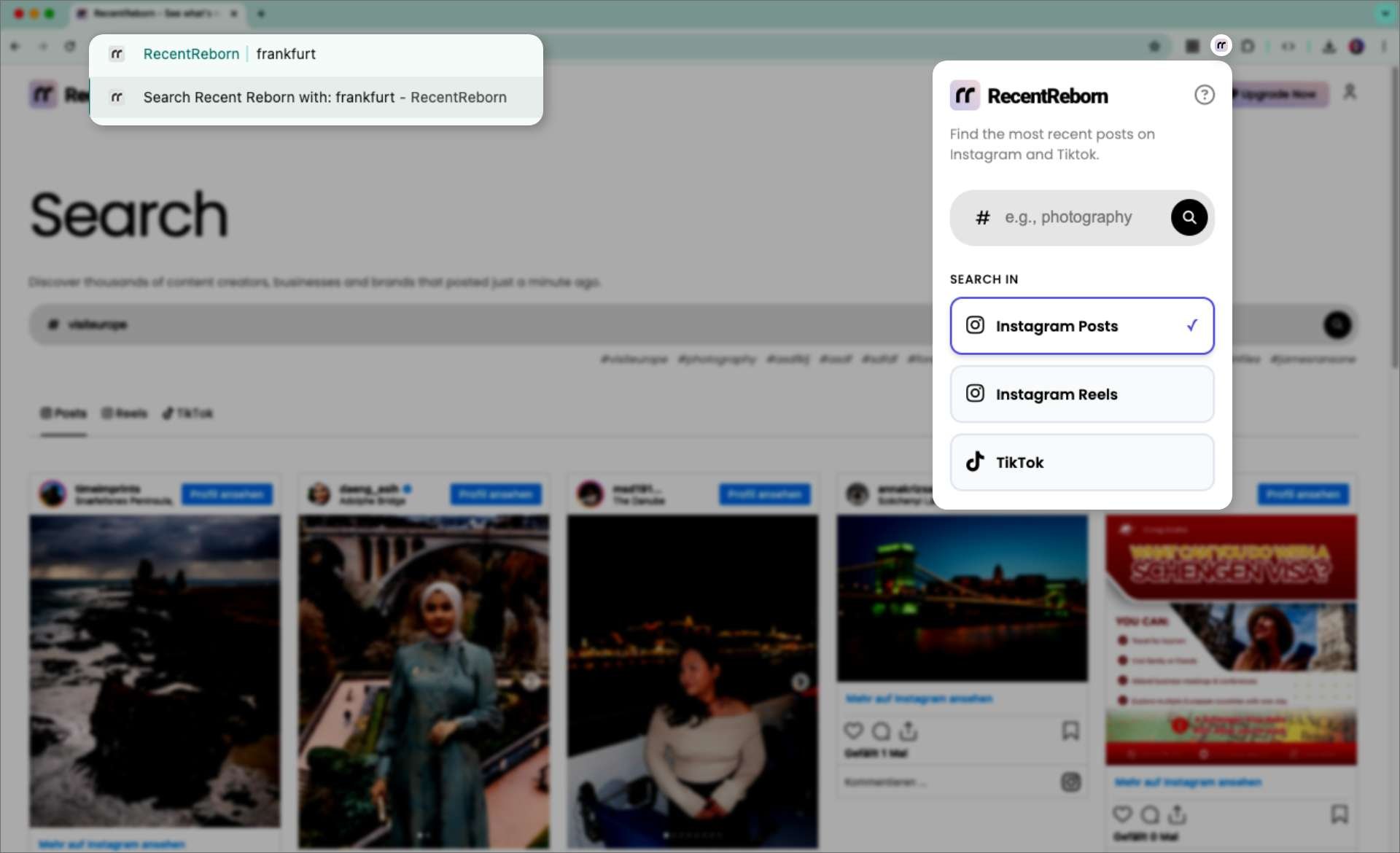
Instagram changed the way we use the app when they removed the "recent" tab for hashtags. Instead of seeing what is happening right now, we are forced to look at "top posts" from the same famous accounts over and over. This makes it very hard to find new creators or stay updated on real-time events.
We built RecentReborn to bring back that missing experience.
Today, we are making it even easier to use with the launch of our new Chrome extension. This browser plugin is designed for anyone who wants to take back control of their Instagram experience and skip the algorithm.
Three Ways to Search Faster
We know that you want to find information without clicking through a dozen different menus. Our Chrome extension adds three simple shortcuts to your daily browsing that save you time and effort.
1. The Extension Instant "rr" Shortcut
You can now start a search directly from your Chrome browser’s address bar. This is the quickest way to find hashtags without even opening a website first.
-
Click on the URL bar at the top of your browser (where you type web addresses).
-
Type the letters "rr" and hit the spacebar.
-
Type the word or hashtag you are looking for and press Enter.
The extension will immediately open a new tab and show you the newest results on the RecentReborn web app.
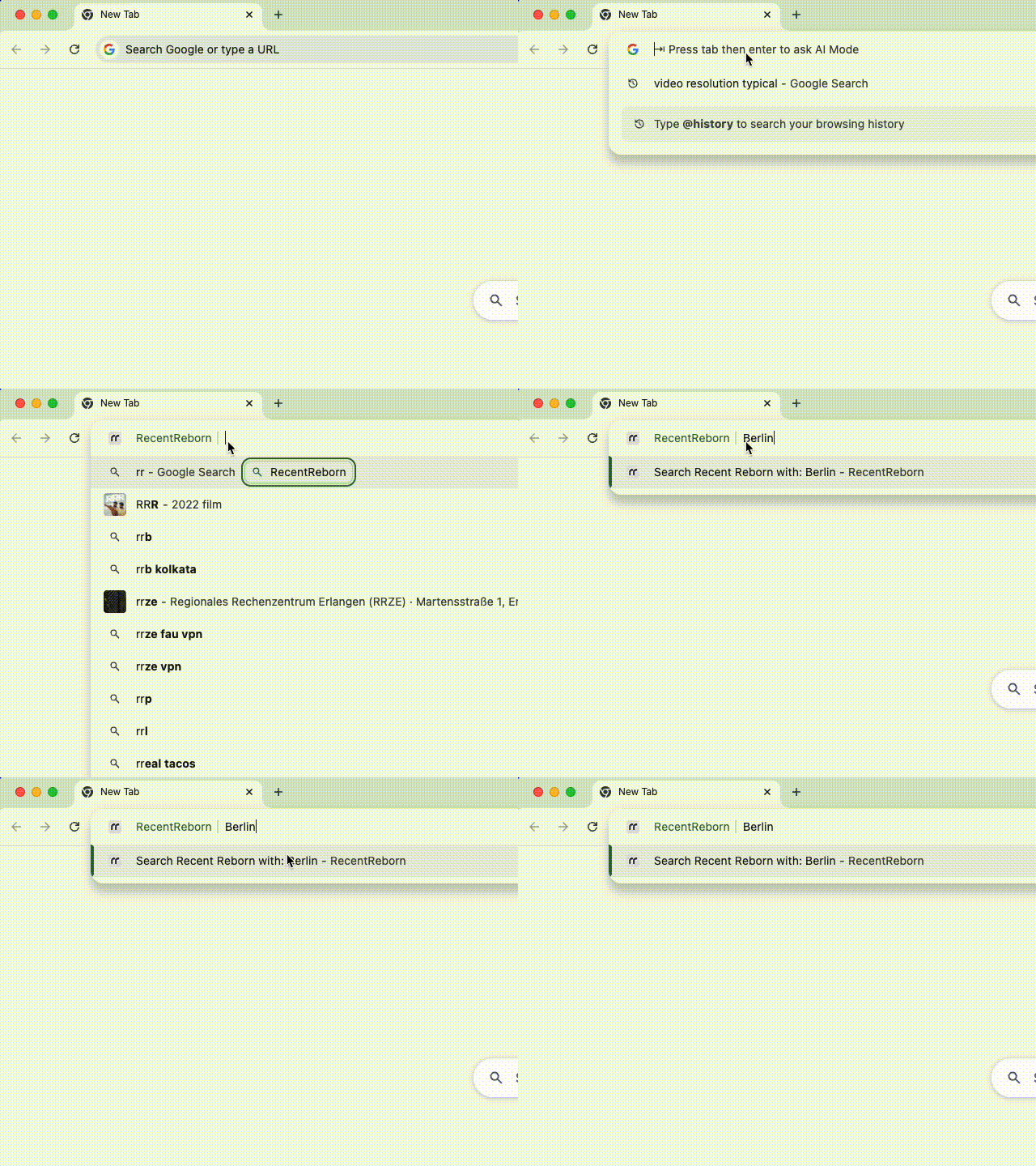 Demonstration of using the “rr” shortcut
2. The Extension Right-Click Search
Sometimes you are reading a news story or a blog and you see a specific word or hashtag that you want to explore.
-
In your Chrome browser, highlight the word with your mouse.
-
Right-click on it.
-
Select the option to search on RecentReborn.
This also opens in a new tab. This means you can keep reading your original page while your recent search results load in the background.
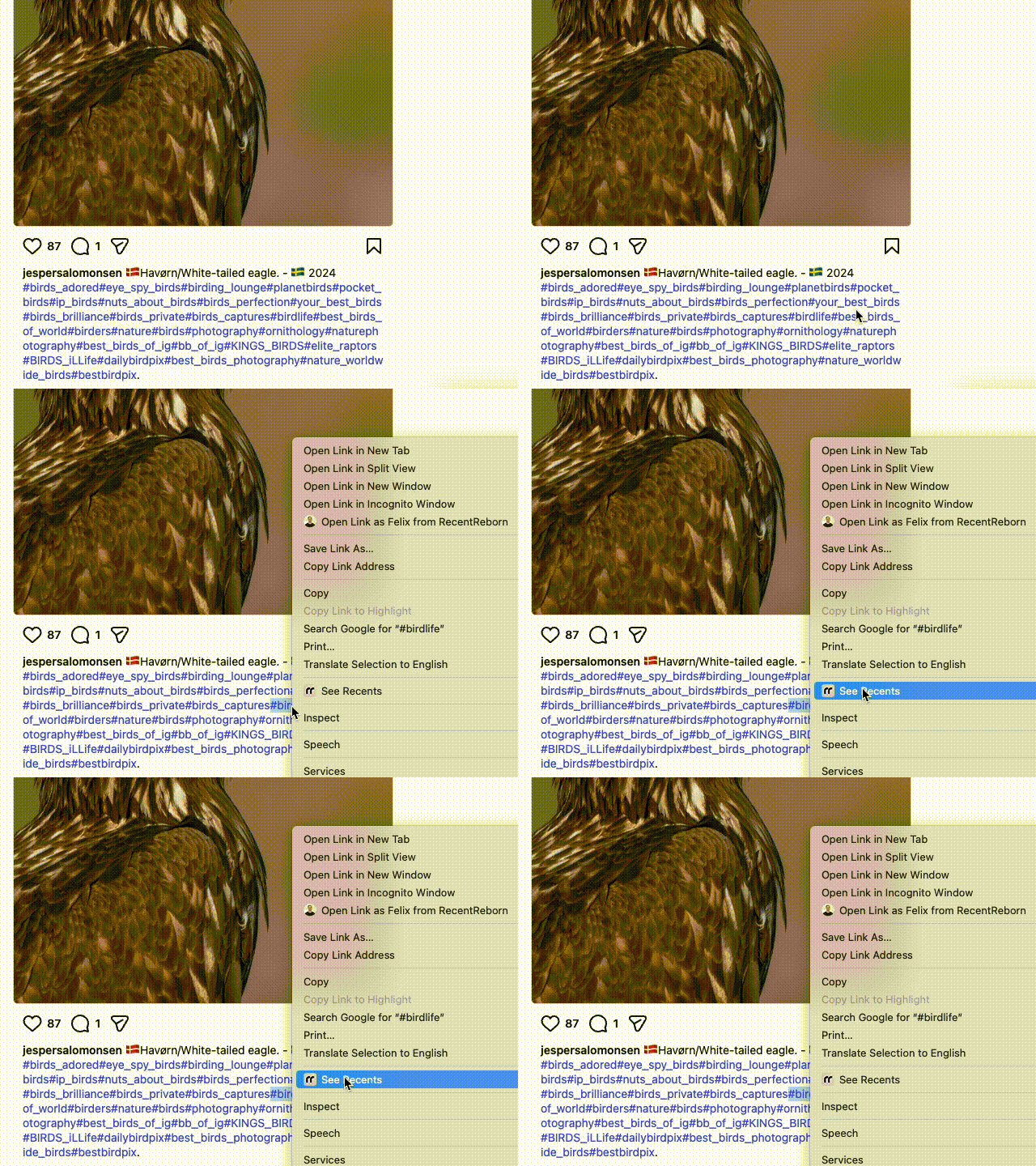 Demonstration of using the RecentReborn context menu
3. The Extension Popup Search
If you prefer a more traditional way to search, you can use the extension icon itself.
-
Click the RecentReborn icon in your Chrome browser toolbar (the small icon at the top right).
-
A small search box will appear.
-
Type your hashtag and hit enter.
Just like the other methods, this opens your results in a new tab so you can browse Instagram and TikTok content chronologically.
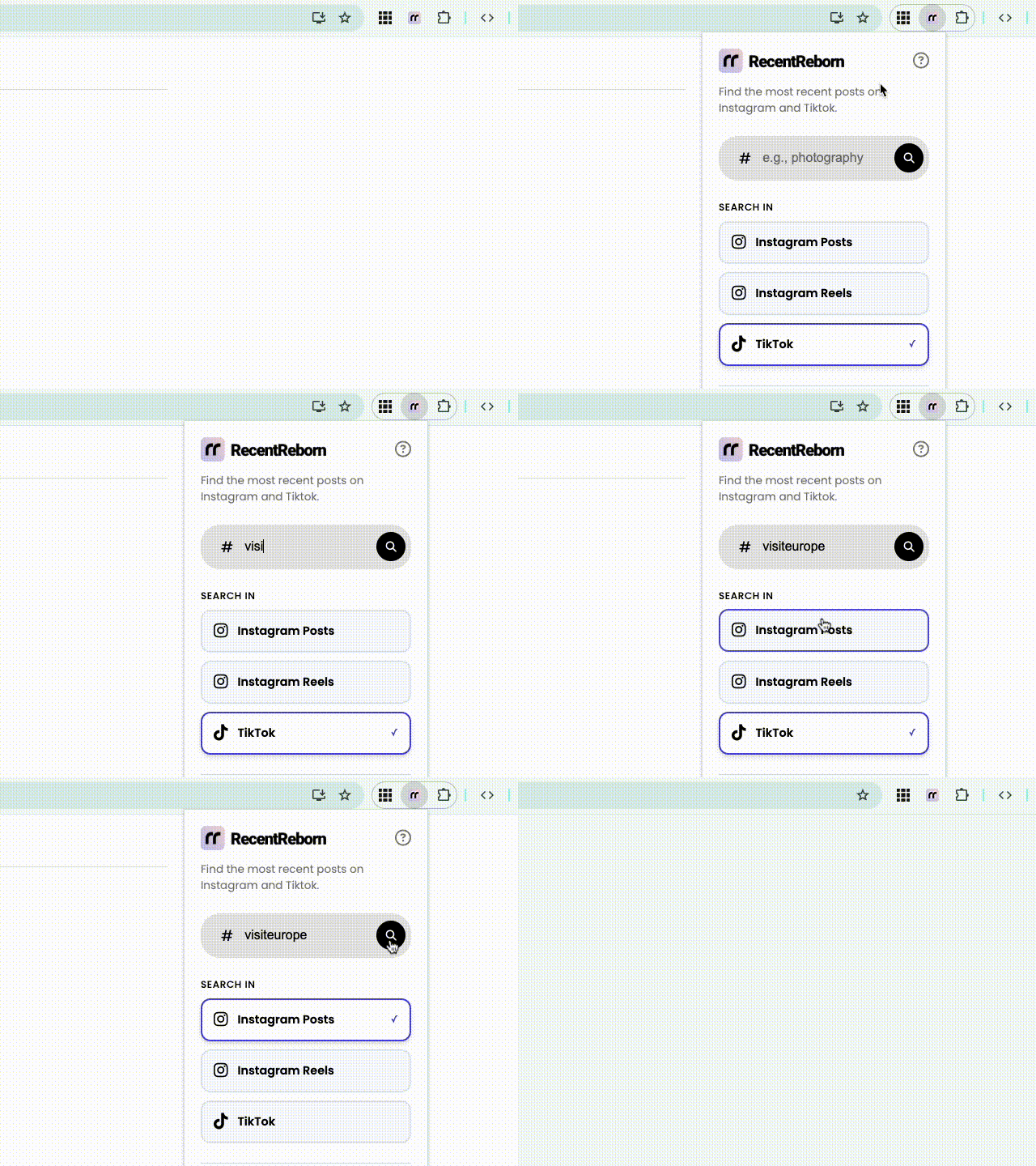 Demonstration of using the RecentReborn popup search
Why This Chrome Extension Matters for Your Daily Browsing
When you search for hashtags on the official Instagram app, you are seeing what the algorithm thinks is popular. But popularity does not always mean it is what you need.
By using our Chrome extension, you get to see all recent posts, reels and Tiktoks. You see the hobbyist photographer, the new author, the local business, and the person posting live from a concert. This is what made social media fun in the beginning. It was about discovery and meeting new people. Our Chrome extension makes that discovery feel like a natural part of how you use the internet.
Built for Privacy and Simplicity
We know that people are often careful about what they install in their browser. We feel the same way. That is why we built this extension to be as simple as possible.
-
No invasive permissions: The extension does not need to read your private Instagram data or track your messages. It is a search shortcut, not a tracking tool.
-
Works on Brave: While it is a Chrome extension, it works perfectly on the Brave browser too.
-
No clutter: It stays out of your way until you need it.
How RecentReborn Works for You
Whether you are a business owner looking for new customers or a fan following a specific topic, seeing the most recent posts is essential.
For example, if you are following a live event like a book fair or a sports match, the "For you"-page might show you photos from yesterday or last week. With RecentReborn, you see what is being uploaded this very minute. It bridges the gap that the official app left behind.
Start Using RecentReborn Today
We want everyone to be able to enjoy a better way to search. RecentReborn offers free daily search quotas so you can explore hashtags at no cost. For power users who need to do a lot of research, we also offer a paid subscription that gives you 10x more searches every day.
To get started:
-
Visit the Chrome Web Store and add RecentReborn to your browser.
-
Sign up for a free account at www.recentreborn.com using your Google or Facebook login.
-
Start using the "rr" shortcut or right-click feature to find the content you’ve been missing.
We are very proud of this new tool. We built it because we wanted a better way to browse, and we are happy to finally share it with you. It is time to see the internet chronologically again.

About the Author
Felix Melchner
I built RecentReborn because Instagram’s decision to hide recent posts made it impossible to find real people and small creators who are not already famous. My vision for 2026 is to restore the original soul of social media by giving everyone a fair chance to be discovered and supported through chronological search.
recentreborn.com