
How to Download Recent Instagram Posts to Excel
 By Felix Melchner
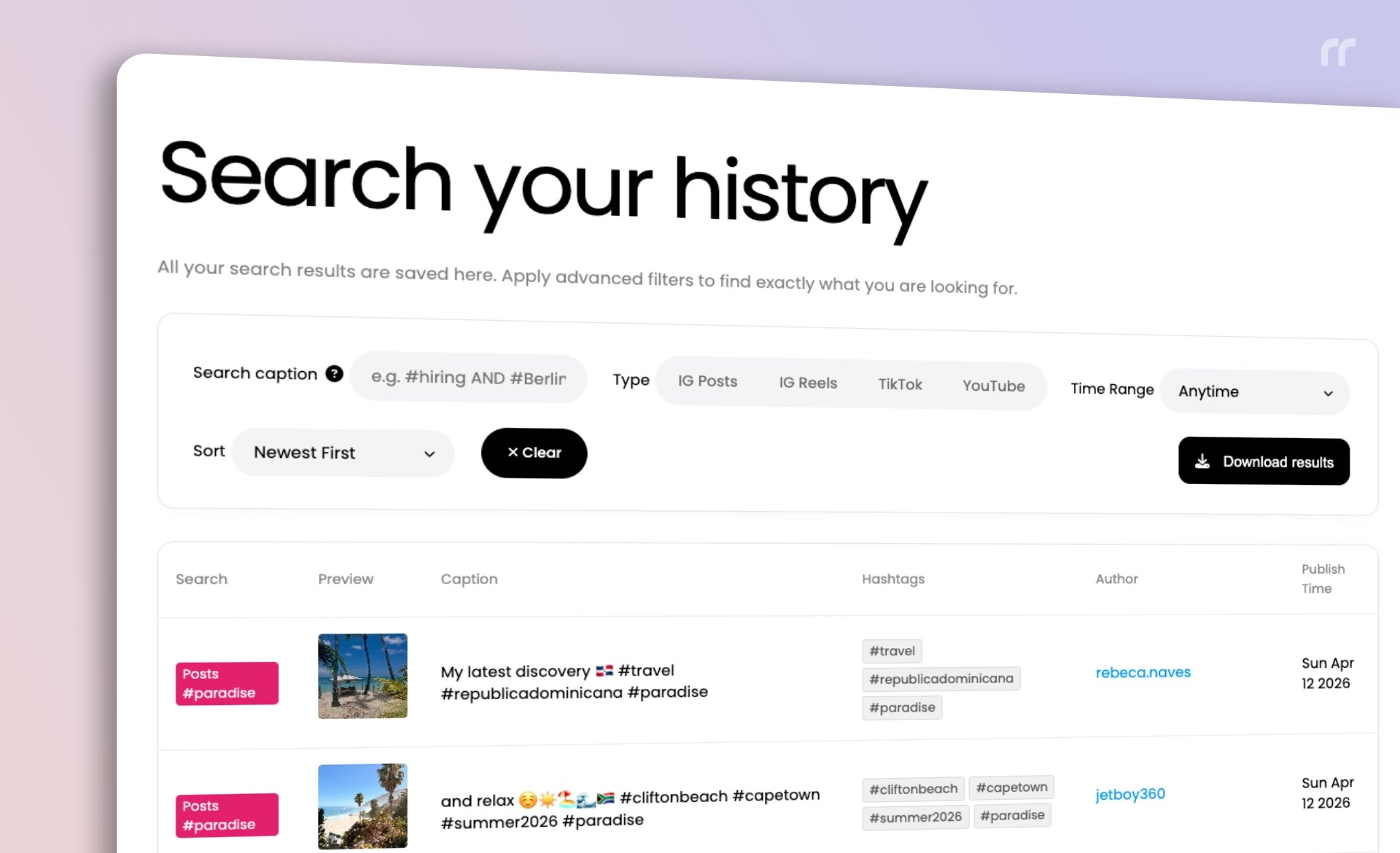 Download Recent Instagram Posts to Excel with RecentReborn
If you need to download recent Instagram posts to Excel for analysis, reporting, or content planning, a simple workflow makes the process fast and reliable. RecentReborn helps you find the most recent Instagram posts by hashtag and now includes a new download button to export those posts to Excel.
What is RecentReborn?
If you’ve used Instagram lately for research, networking, or trend-spotting, you’ve likely noticed a frustrating change: the "Recent" tab is gone. Instagram now forces you to see a stream of “For You” content, curated by an algorithm rather than the clock.
This is where Recentreborn comes in. It is the essential tool for professionals who need to find, track, and download recent Instagram content without algorithmic interference.
Download Recent Instagram Posts to Excel in Seconds
To download recent Instagram posts to Excel with RecentReborn, start by running a hashtag search on our site. We surface the most recent Instagram posts for that hashtag, so you always begin with the latest data.

Once results are available, use the new download button on our history page to export the posts to an Excel file:
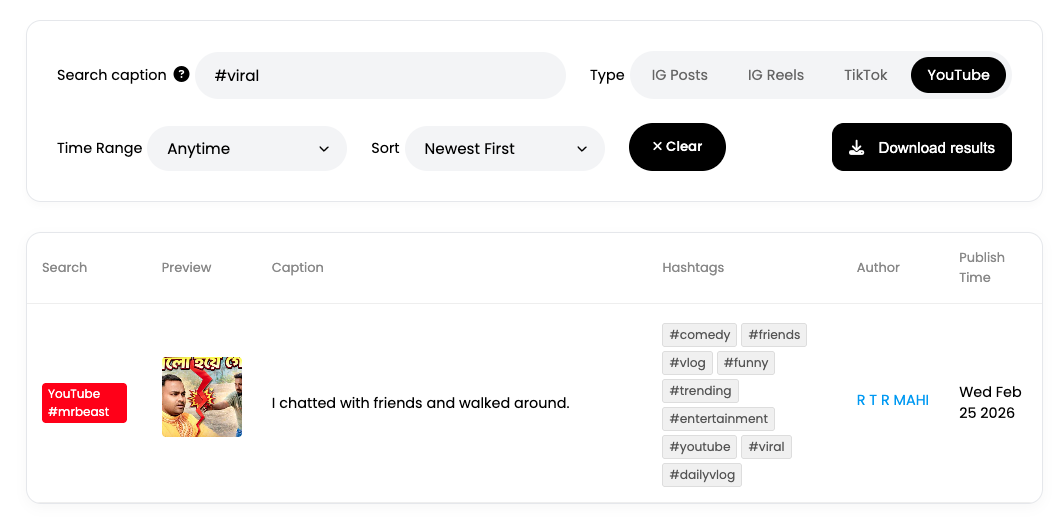 Navigate to the history page to download all posts to Excel.
How to Access the Export Tool
The ability to download recent Instagram data is an exclusive feature for our Pro and Business subscribers.
While all users can search and view their history, the "Export data for offline use" button is active only for paid accounts. This ensures that professionals who require high-volume data handling and Excel reporting have the dedicated resources and support they need to manage their workflows.
Find Recent Instagram Posts by Hashtag
The core of the workflow is a hashtag search. Enter a hashtag, run the search, and review the most recent Instagram posts. This keeps your dataset current and relevant, whether you are tracking trends, monitoring campaigns, or collecting examples for research.
New Download Button for Instagram Results
We introduced a new download button that lets you download the recent Instagram results directly to Excel. This streamlines the handoff from discovery to analysis and makes it easy to share the data with a team or import it into your reporting templates.
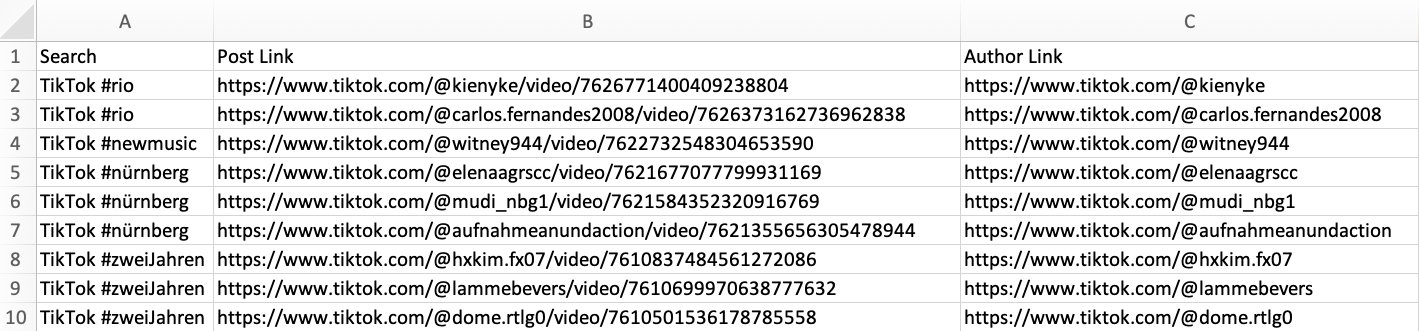 The download file contains your hashtag search query, the direct URL to the Instagram post and the direct URL to the author’s profile.
Why Download Instagram Data to Excel
Excel remains the fastest way to sort, filter, and summarize Instagram post data. Downloading recent Instagram posts to Excel helps you:
-
Track performance patterns over time
-
Compare hashtags side by side
-
Create charts and dashboards quickly
-
Build reports with consistent structure
Best Practices for Downloading Recent Instagram Posts
To keep your data clean and useful:
-
Use specific hashtags to reduce noise in recent results
-
Refresh your search to capture the newest Instagram posts
-
Download to Excel after you confirm the results match your criteria
-
Store files with clear names so you can find them later
Summary
If your goal is to download recent Instagram posts to Excel, RecentReborn gives you two essentials in one flow: the most recent posts by hashtag and a new download button that exports the results to Excel. It is a direct, objective way to move from discovery to analysis without extra steps.
About the Author
Felix Melchner
I built RecentReborn because Instagram’s decision to hide recent posts made it impossible to find real people and small creators who are not already famous. My vision for 2026 is to restore the original soul of social media by giving everyone a fair chance to be discovered and supported through chronological search.
recentreborn.com